Streamlining Success:
The Ultimate Guide to Expedia Channel Managers
Category: Hotel Technology & Property Management | Reading Time: 8 minutes | Author: Javier
If you’re listing your property on Expedia, you’re already in front of millions of eager travelers. But are you managing that Expedia connection efficiently, or is it managing you?
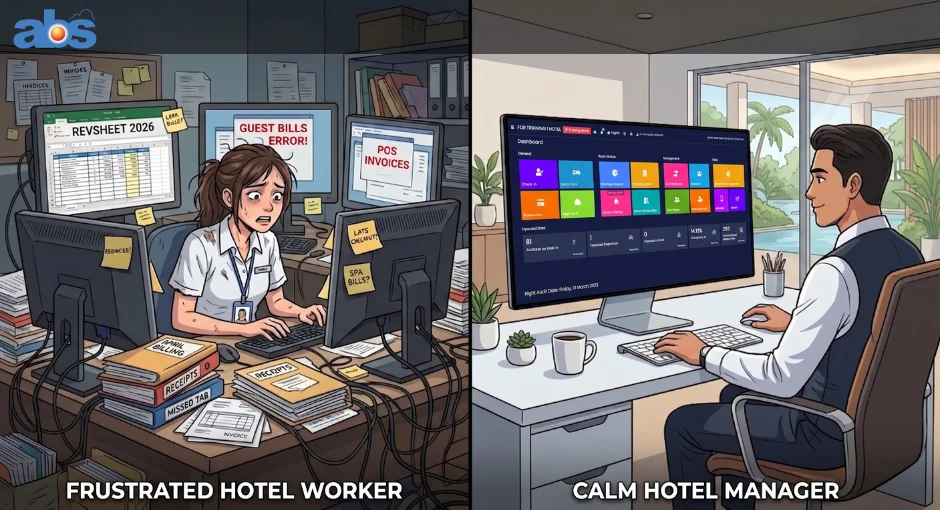
If you’re still manually logging into the Expedia Partner Central extranet to adjust prices, update availability, or block off rooms, you’re losing valuable time and risking costly booking errors. Enter the Expedia channel manager: the silent workhorse of a modern hotel tech stack.
Here’s exactly what an Expedia channel manager does, why this specific OTA connection is non-negotiable for growth, and how to set it up in just a few minutes.
What Exactly is an Expedia Channel Manager?
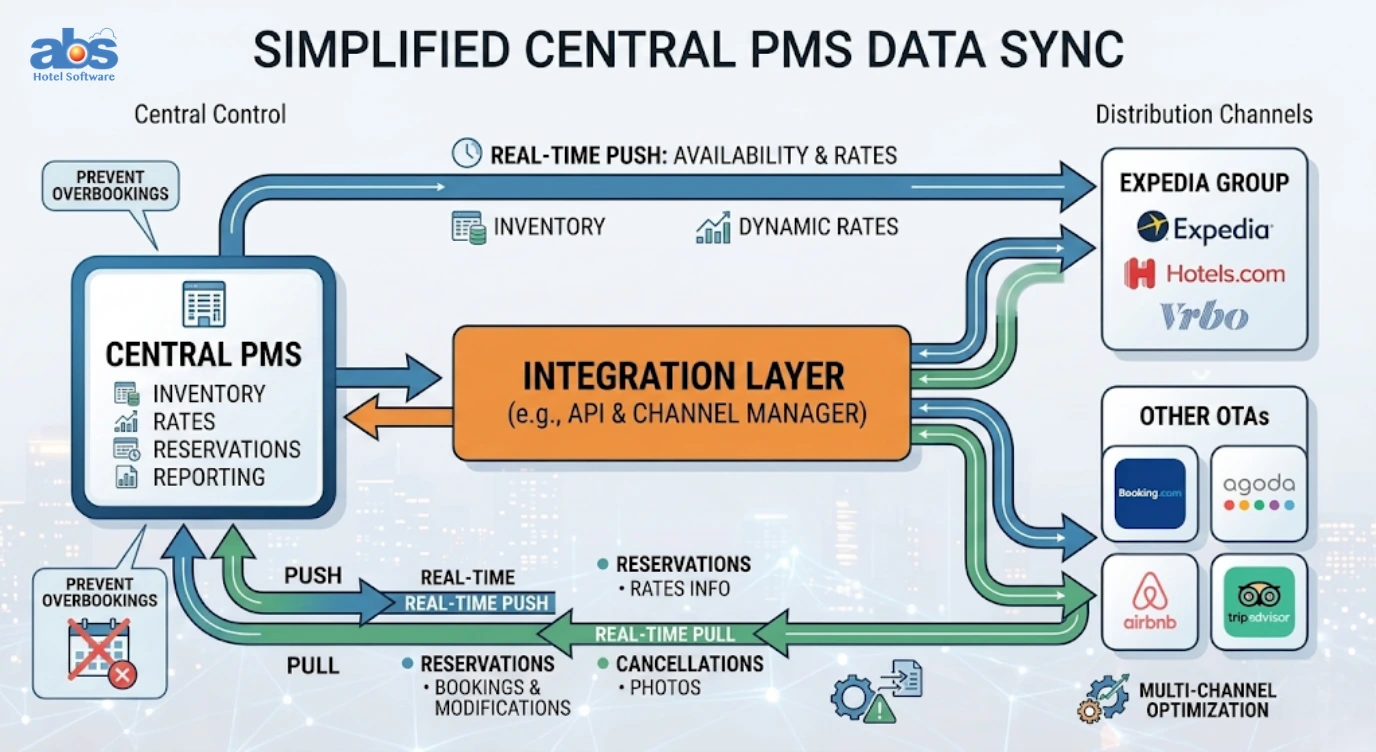
At its core, an Expedia channel manager is a cloud-based bridge. It creates a direct, real-time connection between your Property Management System (PMS) or front desk calendar and Expedia one of the world’s largest online travel agencies (OTAs).
Think of a channel manager for Expedia as an automatic sync button. Instead of you updating three different extranets when a room sells, the software updates all of them for you instantly.
Core Functions of an OTA Channel Manager
An effective Expedia channel manager automates the heavy lifting for your front desk:
-
Real-time Availability Syncing: The exact moment a room is booked anywhere (even on your own direct website or Airbnb), that room is instantly removed from Expedia’s digital shelf.
-
Automated Rate Management: Push new pricing strategies or seasonal promotions directly to Expedia without navigating multiple dashboards.
-
Reservation Consolidation: Bookings made on Expedia flow directly into your main PMS calendar, eliminating the need for manual data entry and preventing costly typos.
Why Prioritizing Your Expedia Connection is Vital for Growth
Expedia Group isn’t just another booking site; it’s a massive global marketplace trusted by over one million properties. For travelers, it is often the very first stop in their trip-planning journey.
The Billboard Effect & Global Reach
Establishing a solid Expedia connection puts your property in the global spotlight, tapping into a stream of traveler demand you simply can’t replicate on your own. Plus, it fuels the famous “billboard effect” guests discover your property on Expedia, but often navigate to your direct website to book, saving you OTA commission fees on their stay.
But here’s the catch: Manual management doesn’t scale. If you rely on Expedia alone, you might barely get by with a digital calendar and a pen. However, the moment you add a second distribution channel whether that’s Booking.com, Airbnb, or your own direct booking engine manual updates become a dangerous game of Jenga.
Why an Expedia Channel Manager is Non-Negotiable for Hoteliers
We’re not being dramatic when we say a channel manager saves hotels from their absolute worst operational nightmare: the double booking.
Preventing the Double Booking Nightmare
Imagine this scenario: Room 101 sells on Airbnb at 2:00 PM. You’re busy checking in a guest at the front desk. By 2:05 PM, a traveler on Expedia books that exact same Room 101 because you hadn’t had a moment to manually close out the availability.
Now, you’re on the phone explaining an overbooking situation, walking a guest or issuing a refund. That’s not just an operational headache; it’s a potential hit to your online reputation.
An Expedia channel manager operates on a two-way, real-time basis. When Airbnb takes the booking, the channel manager immediately tells Expedia, “That room is gone.” This happens in milliseconds, ensuring your inventory is always perfectly accurate across the web.
Unlocking Performance Data and Insights
Beyond preventing disasters, this automation provides something just as valuable: actionable data. A high-quality channel manager connection will offer performance insights specific to Expedia, showing you exactly how well that channel is converting so you can optimize your rates and commission spend.
How to Set Up Your Expedia Channel Manager Software (Step-by-Step)
The good news? You don’t need an IT degree to get this integration running. The key is choosing a channel manager provider that is already a certified Expedia Connectivity Partner.
6 Steps to a Seamless Expedia QuickConnect Integration
Here’s the straightforward path to seamless synchronization:
-
Choose Your Platform: Select a leading channel manager provider. Ensure they explicitly state they support Expedia QuickConnect (EQC).
-
Log in to Expedia Partner Central: Navigate to your property’s back office on the Expedia extranet.
-
Navigate to QuickConnect: From the home dashboard, locate the Expedia QuickConnect Settings (this is usually found under the “Rooms and Rates” or “Connectivity” menus).
-
Select Your Provider: You’ll see a dropdown list of approved software vendors. Find and select your chosen channel manager system.
-
Configure Settings: Check the boxes for Availability, Rates, and Booking Retrieval. This grants permission, telling Expedia, “Yes, let my software manage this data.”
-
Submit and Map: Click Submit. Once the connection is approved, head back to your channel manager dashboard to “map” your Expedia room types to the corresponding physical rooms in your PMS.
Pro Tip: While mapping your rates, don’t forget to set any booking restrictions (like minimum stay requirements or closed-to-arrival dates) within your channel manager. The software pushes those rules outward to Expedia automatically, saving you from managing restrictions in two different places.
Conclusion: Your Key to Stress-Free Expedia Distribution
Managing your property’s presence on Expedia shouldn’t feel like a full-time job. By implementing a dedicated Expedia channel manager, you are doing much more than just adopting new hotel technology—you are protecting your property from dreaded double bookings, maximizing your global reach, and reclaiming hours of valuable time for your front desk staff.
As the hospitality industry becomes increasingly competitive, relying on manual extranet updates is a bottleneck you simply can’t afford. Automation is no longer a luxury; it’s a non-negotiable tool for revenue growth. By establishing a seamless, real-time connection via Expedia QuickConnect, you allow your technology to handle the heavy lifting of inventory distribution.
Stop managing calendars and start scaling your business. Let your channel manager handle the data, so you can get back to what matters most: delivering an exceptional experience for your guests.
Frequently Asked Questions (FAQs) About Managing Expedia Connections
Q: Does Expedia have its own built-in channel manager?
A: No, Expedia Partner Central is an extranet for managing your Expedia-specific listings. To sync Expedia with other OTAs (like Airbnb or Booking.com), you need to connect a third-party channel manager via Expedia QuickConnect.
Q: What is Expedia QuickConnect (EQC)?
A: Expedia QuickConnect is the API (Application Programming Interface) that allows third-party hotel software, like your Property Management System or channel manager, to securely communicate rates, availability, and reservations back and forth with Expedia in real time.
Q: Will a channel manager update my Expedia rates automatically?
A: Yes. When you change a daily rate or add a seasonal promotion in your connected channel manager, the system instantly pushes that new pricing to Expedia, ensuring rate parity across all your booking channels.
Q: Can I still log into Expedia Partner Central if I use a channel manager?
A: Yes! You will still use Expedia Partner Central for specific tasks like answering guest messages, managing your property photos, reading reviews, and running Expedia-specific promotions. However, your daily rates and availability will be locked on the extranet and managed entirely via your channel manager.