
How to List Your Property on Booking.com in 8 Simple Steps
Category: Property Management & Hospitality Marketing | Reading Time: 6 Minutes | Author: William Tang
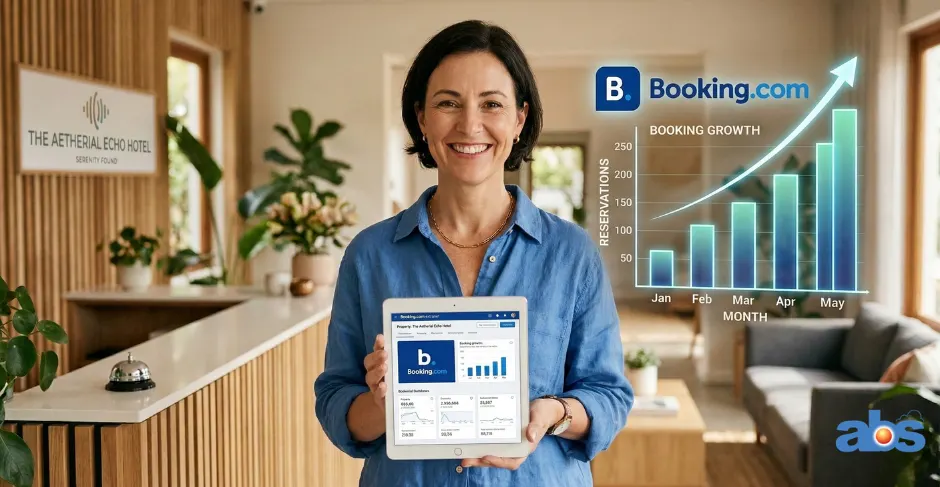
Running a hotel or managing a vacation rental is no small feat. Between managing your staff, maintaining the property, and ensuring exceptional guest satisfaction, you are likely always looking for strategies to increase direct bookings and promote your business globally.
One of the most effective ways to gain massive exposure is by partnering with Online Travel Agencies (OTAs). These platforms connect you with millions of travelers actively looking for a place to stay. Among the top players, Booking.com stands out as an industry giant. If you want to expand your reach, learning how to list your property on Booking.com is one of the smartest moves you can make as a property owner.
Why Create a Booking.com Listing for Your Accommodation?
Originally known for traditional hotel bookings, Booking.com has evolved into a massive, versatile marketplace. Today, it hosts all types of accommodations, including bed and breakfasts, serviced apartments, luxury villas, and vacation rentals.
The platform helps you secure bookings in exchange for a commission on each reservation. Let’s look at why setting up a Booking.com listing is worth your time.
What Makes Booking.com Different?
Unlike some competitors, Booking.com allows property owners to maintain direct control over their relationships with guests:
-
Owner-Controlled Pricing: You set your own rates and can adjust them anytime via the Extranet dashboard.
-
Direct Seller Model: You remain the sole seller of your services; Booking.com simply acts as the marketing channel to help you find guests.
-
Guest Payment Flexibility: Guests typically pay the hotel directly upon arrival or departure, rather than paying the OTA upfront.
Key Benefits of a Booking.com Property Listing
-
Free to List: There are no upfront costs to register your vacation rental on Booking.com; you only pay a commission when you get a booking.
-
Global Support: You gain access to 24/7 customer service available in 43 languages.
-
Guest Verification: The Booking.com team verifies guest reviews to ensure authenticity and protect your brand reputation.
-
Marketing Tools: Gain access to built-in promotional tools to boost your visibility in search results.
-
Integration Ready: Easily connect with external channel managers to sync your bookings across multiple platforms.
Checklist: What to Prepare Before You Add Your Property to Booking.com
To make the registration process as smooth as possible, gather the following information before you begin:
-
Full, accurate property address
-
Property type (hotel, apartment, B&B, etc.) and specific room types
-
Current property availability (your booking calendar)
-
A comprehensive list of facilities and amenities
-
High-quality photos of rooms, common areas, amenities, and the surrounding neighborhood
-
Your preferred payment methods

Step-by-Step Guide: How to List Your Property on Booking.com
Ready to get started? Here are the 8 simple steps to get your property live and ready for global travelers.
Step 1: Create a Booking.com Partner Account
Start by navigating to the Booking.com homepage. Click on “List your property” (usually located in the top right corner or the footer). You will be directed to register for a Partner Account. Keep in mind that a standard guest account is only for making reservations—you need a Partner Account for your Booking.com host setup. Fill in your contact details and create a secure password.
Step 2: Choose Your Property Type and Location
You will be prompted to select the category that best describes your accommodation. Be highly accurate here, as this dictates how guests will filter their searches to find you. Next, provide your exact property address. Double-check this information, as it is difficult to change later. Booking.com may send a physical verification letter to this address to confirm your location.
Step 3: Set Your Pricing, Currency, and Room Details
Now it is time to define what you are selling:
-
Specify room categories, names, number of identical rooms, bed sizes, and maximum guest capacity.
-
Set your preferred currency and nightly rates.
-
Note: Booking.com charges a commission (typically around 15%) to cover 24/7 support, Google marketing for your property, and automated confirmations.
Step 4: Highlight Facilities, Services, and House Rules
Outline exactly what guests can expect during their stay. Tick the boxes for available amenities like Wi-Fi, swimming pools, breakfast, and parking. This is also where you establish your house rules, including smoking policies, pet allowances, and noise restrictions.
Step 5: Upload High-Quality Property Photos
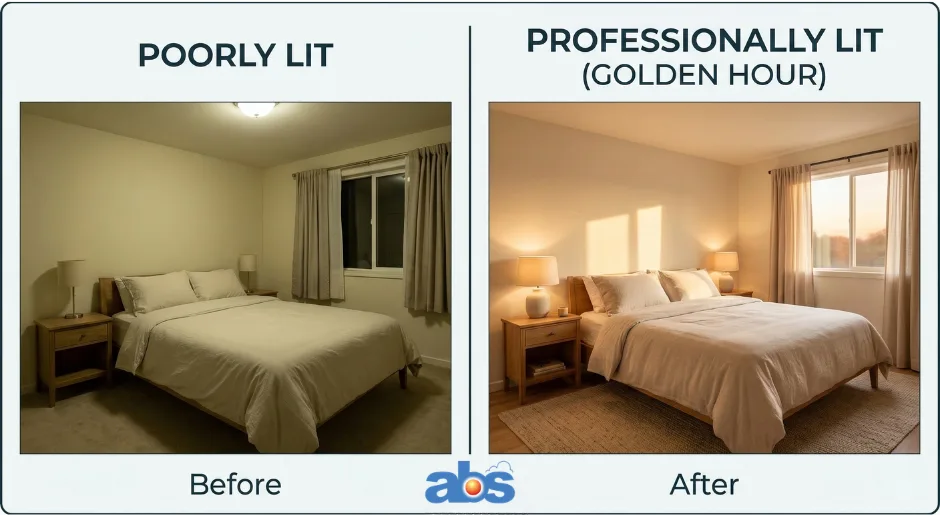
Visuals are a make-or-break factor in the hospitality industry. Guests want to see exactly what they are paying for.
-
Upload at least 20 high-resolution images.
-
Include the exterior, bedrooms, bathrooms, amenities, and surrounding views.
-
Pro Tip: Shoot during the “golden hour” for the best natural lighting. High-quality, well-lit photos are proven to boost your property’s ranking in the Booking.com algorithm.
Step 6: Define Your Guest Policies
Clearly outline the terms guests must agree to before booking:
-
Cancellation Policy: Be specific (e.g., “Free cancellation up to 5 days before arrival. After that, the first night is non-refundable.”).
-
Check-in/Check-out Times: State your standard operating hours clearly.
-
Additional Charges: Specify any fees for extra services, cleaning, or damages to prevent misunderstandings.
Step 7: Configure Payment Details and Taxes
Confirm how your money will be handled. Specify which payment methods are accepted on-site and clarify any local tax details. You will also need to decide whether you will handle credit card transactions directly at the property or if Booking.com will process them on your behalf.
Step 8: Get Verified and Access the Booking.com Extranet
Once submitted, Booking.com will review your property. You will receive a confirmation email once approved. Upon approval, you unlock access to the Booking.com Extranet Dashboard. This is your central control hub to update photos, adjust pricing, manage reservations, and review performance analytics.
Congratulations, you are now ready to receive your first booking!
3 Pro Tips to Optimize Your Booking.com Property Listing
Getting listed is just the beginning. To stay competitive and rank high in local searches, you need to actively manage your presence.
1. Keep Your Listing Updated
Ensure your information is always current. Update your availability in real-time to prevent double bookings. If you undergo renovations, run seasonal promotions, or add new amenities, reflect those changes on your listing immediately so guests have accurate expectations.
2. Monitor and Respond to Guest Reviews
According to Booking.com, 75% of travelers rely heavily on reviews when choosing a host. Check your dashboard frequently. Thank guests for positive feedback and address constructive criticism professionally. Responding to reviews shows potential guests that you are an attentive, caring host.
3. Sync Your Calendar with a Channel Manager
Managing multiple listings across different OTAs can lead to overbookings if done manually. Using the iCal format helps, but for true peace of mind, consider using a Channel Manager. This software syncs your availability and rates across all connected platforms automatically, saving you hours of manual work and eliminating the risk of human error.
Simplify Your Property Management: Connect with Our Experts
Listing your property on Booking.com is a fantastic way to boost your revenue. But as your bookings grow across multiple OTAs, managing your calendars, rates, and guest messaging can become overwhelming.
Don’t let administrative tasks slow you down. Our specialized property management software and channel manager seamlessly integrate with Booking.com to automate your daily operations.
Ready to scale your bookings without the stress? Click Here to Request a Demo and Contact our software consultants today!
Frequently Asked Questions (FAQs) About Listing on Booking.com
Q: How much does it cost to list a property on Booking.com? A: Creating a listing is 100% free. You only pay a set commission percentage (usually around 15%, depending on your location) on confirmed bookings.
Q: Do I need a business license to list on Booking.com? A: This depends heavily on your geographic location. Many cities and countries require short-term rental permits or business licenses. Always check your local GEO regulations and zoning laws before hosting guests.
Q: Can I list my property on Booking.com and Airbnb at the same time? A: Yes! It is highly recommended to list on multiple OTAs to maximize visibility. Just be sure to use a Channel Manager to sync your calendars and avoid double bookings.
Q: How do I get paid by Booking.com? A: You can choose to process payments yourself at the property (via cash or your own credit card terminal) or opt into “Payments by Booking.com,” where the platform facilitates the payment and transfers the funds to your bank account.
About the Author: William Tang is a Hotel Technology Consultant at BMS Solution, specializing in the Southeast Asian hospitality market. He helps streamline operations and maximize revenue for over 1,500 hotels across Malaysia, Singapore, Indonesia, and the Philippines.