
Never Miss a Message: The Complete Guide to a
Unified Inbox for Hotels
Category: Hospitality Technology | Reading Time: 8 Minutes | Author: Javier
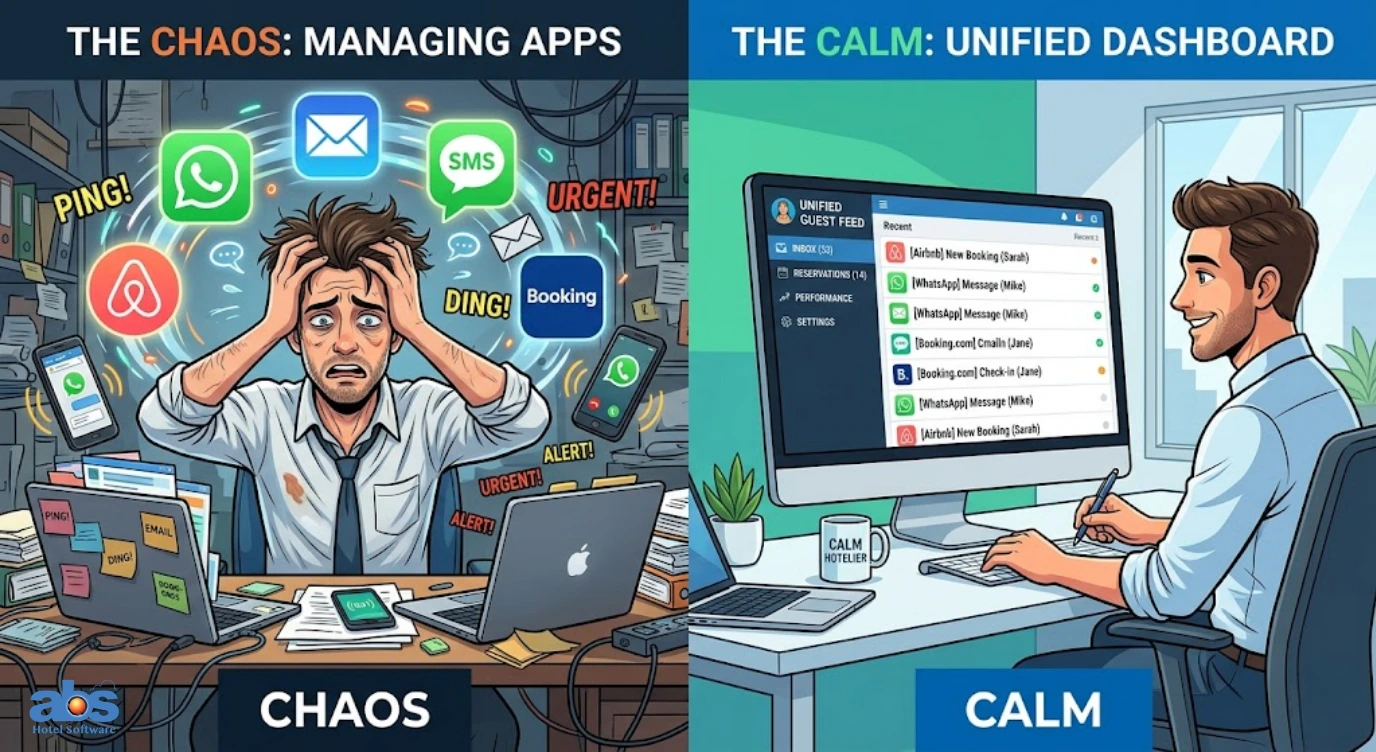
Managing guest communication often feels like a high-stakes juggling act. Your front desk staff is answering the phone, refreshing the Airbnb app, monitoring the business WhatsApp account, and trying to clear out an ever-expanding email inbox.
The solution to this digital chaos is much simpler than you might think: a unified inbox for hotels.
In this comprehensive guide, we will explore what a unified hotel messaging platform is, how it transforms your daily operations, and the steps you can take to implement one for your property today.
What Exactly Is a Unified Inbox for Hotels?
A unified inbox for hotels is a centralized communication dashboard that pulls messages from multiple disparate channels such as email, SMS, social media platforms, WhatsApp, and booking site chats (like Airbnb or Booking.com) into one organized, scrollable feed.
Instead of requiring your staff to log into six different applications just to find one guest request, a centralized hotel communication dashboard allows you to view and respond to everything from a single screen. For independent accommodation providers where personal attention is the ultimate differentiator, this tool is an absolute must-have. It shifts your operational focus from managing notifications to genuinely managing guest relationships.
The Anatomy of a Centralized Guest Communication Dashboard
You likely use a basic version of this technology every day without realizing it. Think about the email application on your smartphone. It conveniently displays messages from your work account, your personal account, and perhaps an old college email all in the exact same list. That is the core concept of a unified inbox.
Now, apply that logic to your entire property management strategy. A property management unified inbox shows you a WhatsApp message from a traveler running late directly next to an Airbnb inquiry about parking availability. It entirely eliminates the need to switch tabs, devices, or software apps.
3 Major Benefits of a Centralized Hotel Messaging Platform
Why should you centralize your communication channels? Here are three tangible ways a single inbox for hospitality impacts your daily operations, guest satisfaction, and overall revenue.
1. Unmatched Operational Efficiency
The “platform shuffle” is a silent productivity killer for hotel staff. You are on the desktop answering a guest email, then you grab your smartphone to reply on WhatsApp, and finally, you log into a tablet to check a direct booking SMS. This fragmentation wastes valuable hours every single week.
A unified inbox for hotels completely erases that friction. You view and respond to everything from one portal. Furthermore, modern guest communication software includes powerful template and automation features. This allows your team to instantly send pre-written messages for common questions regarding door codes, Wi-Fi passwords, or check-out reminders.
2. A Seamless, Multichannel Guest Experience
Modern guests want to communicate on their own terms. Some prefer the traditional formality of email, while others expect the rapid immediacy of a WhatsApp text or SMS. A multichannel hotel inbox allows you to meet your guests exactly where they are, without creating any extra work for your front desk.
Because all communication history is stored in one central thread attached directly to the guest’s reservation, any staff member can step in and continue the conversation flawlessly. No one ever has to ask a guest, “I’m sorry, could you repeat what you told my colleague earlier?”
3. Direct Revenue Growth Through Upselling
Beyond the revenue naturally generated by happier, returning guests, a unified guest communication tool can directly increase your bottom line through targeted promotional messaging. Many systems allow you to schedule automated offers such as a discounted early check-in, a room upgrade, or a special dining package. These can be delivered via SMS or WhatsApp at the exact moment a guest is most likely to purchase an extra service.
How Does a Property Management Unified Inbox Work?
Understanding the technical mechanics helps you truly appreciate the value of this software. Here is exactly how a standard unified inbox integrates with your existing Property Management System (PMS).
Channel Integration (API Connections)
The system connects seamlessly via API (Application Programming Interface) to your email server, SMS provider, WhatsApp Business account, and major Online Travel Agencies (OTAs) like Airbnb, Vrbo, or Booking.com.
Smart Automation Rules
You can set triggers based entirely on the guest’s booking status. For example: “When a reservation is marked ‘Checked In,’ automatically send a welcome SMS containing the Wi-Fi password and breakfast hours.”
Contextual Communication
When a new message arrives, the unified inbox automatically pulls up the guest’s profile and reservation details right next to the chat window. Your staff knows immediately who is messaging, what room they are staying in, and their check-out date, allowing for highly informed, personalized responses.
Step-by-Step: How to Set Up a Single Inbox for Your Hospitality Business
Are you ready to put an end to communication chaos? Here is a simple, step-by-step approach to implementing a unified inbox for your hotel.
Step 1: Choose the Right Native PMS Solution
Look for a communication hub that integrates natively with your existing Property Management System. The most powerful unified inboxes for hotels are those built directly into the PMS interface, rather than relying on a separate third-party app. This ensures that reservation data, pricing, and chat history are perpetually in sync.
Step 2: Configure Your Communication Channels
Once you have selected your hotel communication software, navigate to the settings dashboard. You will typically find intuitive options to connect your Email, SMS, WhatsApp, and OTA accounts. Most modern platforms use a simple “Sign In to Connect” authorization process that links your channels in just a few clicks.
Step 3: Create Templates and Automate Workflows
This is the step that will save your team the most time. Identify the top five repetitive questions you answer daily (e.g., check-in times, parking directions, pet policies). Draft friendly, branded responses for each and save them as templates. Next, set up automation rules to deploy these templates automatically based on specific booking dates or status changes.
Essential Features Checklist for Hotel Communication Software
A truly effective unified inbox isn’t just a message viewer; it is a complete hospitality command center. When evaluating your options, ensure the solution checks all the boxes.
Must-Have Capabilities for Independent Properties
Keep this checklist handy when shopping for a centralized messaging platform:
-
Unified Interface: One infinitely scrollable feed for all guest interactions.
-
Multi-Channel Support: Native handling of SMS, Email, WhatsApp, and OTA messaging.
-
Automation & Scheduling: Tools to send triggered messages without manual staff input.
-
Guest Profiles & Personalization: The ability to see exactly who you are talking to and their past stay history.
-
In-Stay Communication: Easy, frictionless two-way chat during the guest’s actual visit.
-
Pre- and Post-Stay Outreach: Automated check-in instructions and post-checkout thank-you notes.
-
Upselling Tools: Built-in capabilities to offer room upgrades or add-ons via message templates.
-
Reporting & Analytics: Dashboard insights into staff response times and overall communication volume.
The Bottom Line
A unified inbox for hotels is no longer just a luxury for independent properties; it is a strict competitive necessity. By consolidating your communication streams, you drastically reduce operational stress, elevate guest satisfaction, and unlock entirely new revenue opportunities.
The key to success is finding a solution that fits seamlessly into your existing management workflow, allowing you to spend less time staring at screens and more time providing unforgettable hospitality to your guests.
Frequently Asked Questions (FAQs) About Hotel Unified Inboxes
Q: Does a unified inbox for hotels integrate with Airbnb and Booking.com?
A: Yes! A high-quality unified inbox will connect via API to major OTAs like Airbnb, Booking.com, and Expedia. This allows you to read and reply to booking inquiries directly from your central dashboard without logging into the OTA extranets.
Q: Can I use WhatsApp within a hotel unified inbox?
A: Absolutely. Most top-tier property management unified inboxes integrate natively with WhatsApp Business, allowing your front desk to send and receive WhatsApp messages right alongside emails and SMS texts.
Q: Will a centralized communication dashboard replace my front desk phone?
A: While it won’t replace voice calls entirely, a unified inbox dramatically reduces phone volume. By automating common questions (like Wi-Fi passwords and directions) via text or email, your front desk will receive far fewer routine calls, freeing them up for more complex guest needs.
Q: Is it difficult to train staff on a unified guest communication software?
A: Not at all. Because a unified inbox consolidates multiple confusing apps into one clean, familiar chat interface (similar to iMessage or Facebook Messenger), the learning curve is incredibly low. Most staff members can master the system in under an hour.