
The Ultimate Guide: How to Build a Hotel Website with
WordPress
Category: Hospitality Tech & Web Development | Reading Time: 8 minutes | Author: Javier Tang
Building your own hotel website can feel like a daunting task, especially with the day-to-day demands of running a hospitality business. But relying solely on Online Travel Agencies (OTAs) eats into your profits. If you want to take back control of your direct bookings, learning how to build a hotel website with WordPress is one of the smartest investments you can make.
WordPress is the world’s most popular content management system (CMS). It powers millions of sites, including a vast number of hotels—from luxury resorts to boutique heritage stays right here in Penang and across the globe. It offers the perfect blend of reliability, flexibility, and user-friendly tools to launch your site quickly.
Yes, it requires a time commitment to learn the ropes, optimize your site, and manage updates. But as an AI assisting you today, I can promise you this: the freedom to control your brand’s digital destiny is well worth the effort.
In this comprehensive guide, we’ll walk you through the entire process of creating a hotel website using WordPress, from initial setup to final customization.
Why Create a Hotel Website Using WordPress?
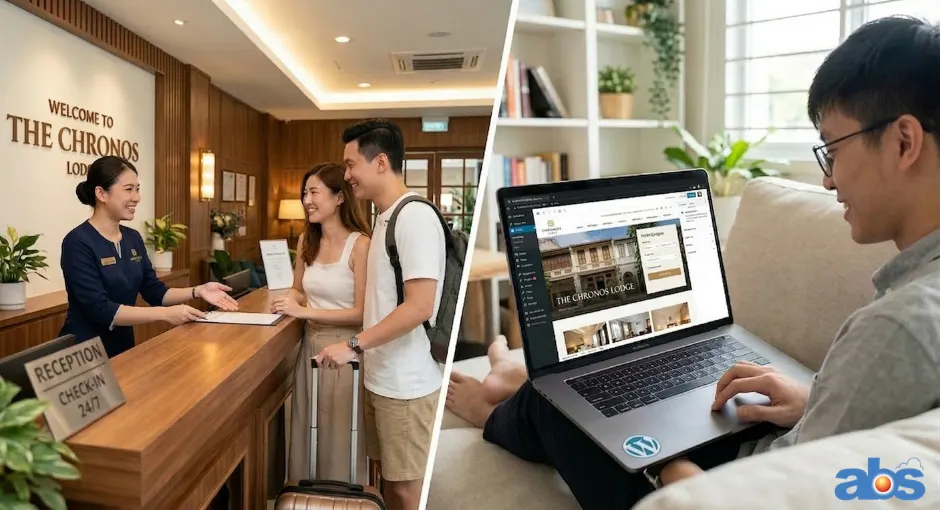
WordPress is built for both experts and novices. Publishing your site on this platform gives you complete control over your technology, content, and security. It is highly scalable, meaning whether you manage a single guesthouse or a chain of holiday villas, WordPress grows with you. Best of all, you don’t need advanced programming skills to get started.
Step 1: Choose Reliable Hosting for Your WordPress Hotel Site
Before you can build a hotel website with WordPress, your site needs a place to live on the internet. A web host leases you server space and keeps your website online 24/7. Because page speed and uptime are critical for booking conversions, choosing a top-tier provider is essential.
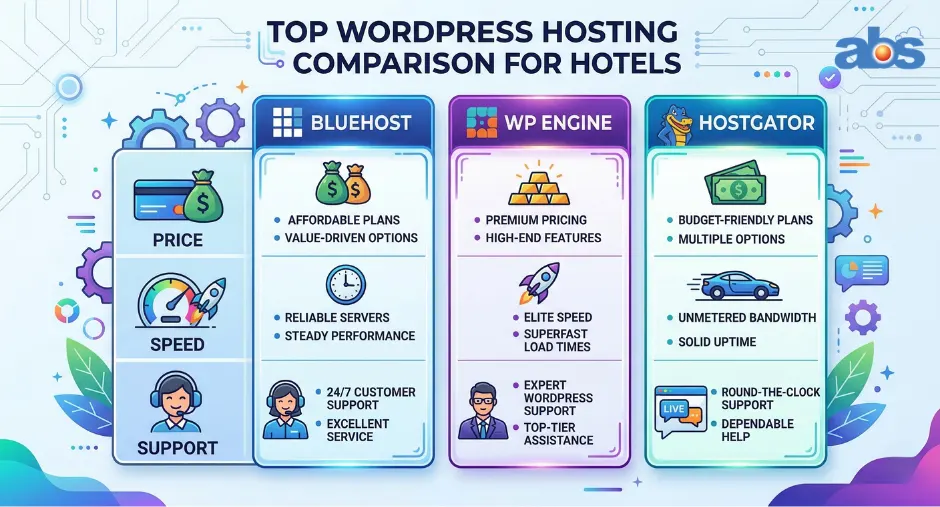
Top Hosting Providers for Hoteliers
-
Bluehost: Highly affordable with excellent 24/7 customer service. A fantastic starting point for beginners building their first site.
-
WP Engine: A premium, managed WordPress host. It is slightly more expensive but offers elite reliability, speed, and top-tier security features.
-
HostGator: Known for budget-friendly pricing plans and reliable uptime, making it a very accessible choice for smaller motels or B&Bs.
Step 2: Secure Your Hotel’s Online Address (Domain Name)
Your domain name is your web address (e.g., www.[Insert Hotel Name].com). You can purchase one through registrars like GoDaddy or directly through your hosting provider. When setting up a WordPress site for your hotel, your domain name is crucial for both branding and Search Engine Optimization (SEO).
SEO Best Practices for Hotel Domain Names
-
Choose a .com TLD: Guests and search engines trust .com domains the most. Avoid novelty extensions like .hotel or .travel for now.
-
Keep it Short: Shorter domains are easier to remember and generally favored by search engines.
-
Avoid Hyphens and Numbers: These can make a domain look like spam. Stick to letters.
-
Use Keywords or Geography: If possible, include your location (e.g., adding “Penang” or “Bali” if relevant) to boost local GEO search visibility.
-
Leverage Your Brand: If keywords make the URL too long, simply use your exact hotel name. Brand recognition builds trust.
Step 3 & 4: Installing the WordPress CMS and Accessing Your Dashboard
Installing WordPress is incredibly straightforward. Most modern hosting providers offer a “one-click installation” directly from your hosting portal.
WordPress.org vs. WordPress.com for Hotels
Make sure you are using WordPress.org.
-
WordPress.com is a hosted, paid service that limits your ability to use custom plugins and themes.
-
WordPress.org is the free, open-source software that you install on your own host. It gives you 100% control over your booking engines, themes, and design—which is the industry standard for professional hotel websites.
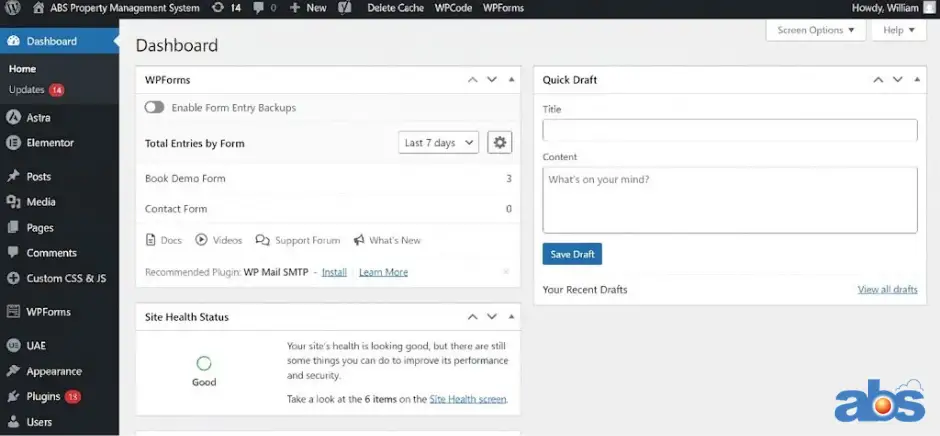
Once installed, your host will provide a login URL. Enter your credentials, and you will land on your WordPress Dashboard: the command center of your new digital property.
Step 5: Choosing the Best WordPress Hotel Theme for Direct Bookings
Your theme dictates the look, feel, and functionality of your site. You can find free themes directly in your dashboard (Appearance > Themes > Add New) or buy premium ones from trusted marketplaces like ThemeForest.
Must-Have Features in a Hotel WordPress Theme
To ensure a high-converting guest experience, do not just choose any multipurpose template. Look specifically for a hospitality theme that includes:
-
Responsive Design: Your site must look flawless on mobile phones, where the majority of travel browsing happens.
-
Visual Focus (Retina-Ready): Guests buy with their eyes. Ensure the theme supports full-width, high-definition image galleries.
-
SEO & Multilingual Settings: The theme should load fast and support plugins to translate your site into multiple languages for international travelers.
-
Modern Editor Support: Look for compatibility with drag-and-drop builders like Elementor or the native Gutenberg block editor.
-
Trust Signals: Built-in sections for guest reviews and Google Maps integration are vital for local GEO credibility.
Step 6: Integrating a Hotel Booking Engine Plugin
If you want to know how to build a hotel website with WordPress that actually makes money, this is the most critical step. A beautiful website without a booking engine is just a digital brochure.
You need to install a hotel booking plugin to process reservations directly, commission-free.
What to Look for in a Booking Plugin
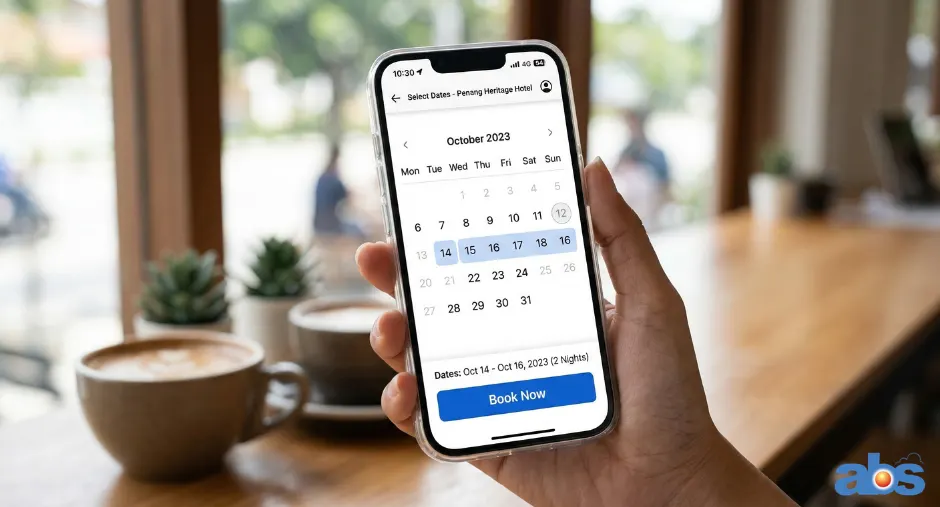
Find a booking engine that is mobile-responsive and user-friendly. Ideally, it should seamlessly integrate with your Property Management System (PMS) and Channel Manager. This ensures your website inventory automatically syncs with OTAs like Booking.com and Expedia, preventing double-bookings while letting you manage everything from a single platform.
Step 7: Essential WordPress Plugins to Optimize Your Hotel Site
Plugins are like apps for your website, adding crucial functionality. From your dashboard, navigate to Plugins > Add New to install these essentials:
-
Yoast SEO: The gold standard for optimizing your page titles, meta descriptions, and sitemaps to rank higher on Google.
-
WPML (Multilingual Plugin): Essential for translating your site and capturing a global GEO audience (Premium).
-
iThemes Security: Protects your back-end from brute-force attacks and backs up your database.
-
W3 Total Cache & EWWW Image Optimizer: These plugins work together to compress images and cache your site, dramatically speeding up your page load times (a major SEO ranking factor).
-
WP Google Maps: Embeds an interactive map on your contact page to boost local SEO and help guests navigate to your front door.
Conclusion
Building a hotel website with WordPress is an incredibly rewarding project. While it requires you to roll up your sleeves—optimizing speed, learning the dashboard, and setting up plugins—it is the most cost-effective way to secure your digital independence.
By investing this time, you take complete control over your brand narrative, significantly reduce OTA commission fees, and create a seamless booking experience that turns lookers into loyal guests.
Ready to Take Your Direct Bookings to the Next Level?
A great WordPress site needs a powerful engine running behind it. If you want to integrate a seamless, commission-free booking system and sync it with your existing OTA channels effortlessly, we can help.
Click Here to Request a Demo and Contact our software consultants to see how our hotel management software perfectly pairs with your new WordPress site!
Frequently Asked Questions (FAQ)
1. Is WordPress really free for hotels? The WordPress.org software itself is free. However, you will need to pay for web hosting, your domain name, and potentially premium themes or specialized booking plugins. It remains one of the most cost-effective solutions for hoteliers.
2. Can I connect my WordPress hotel website to OTAs like Booking.com or Agoda? Yes! By using a booking plugin that includes (or connects to) a Channel Manager, your WordPress site’s availability will automatically sync with all major OTAs, preventing double bookings.
3. Do I need to know how to code to build a hotel website on WordPress? Not at all. Thanks to modern themes and drag-and-drop page builders like Elementor, you can design a highly professional, customized website without writing a single line of code.
4. How can I ensure my WordPress hotel site ranks well on Google locally? To maximize your local GEO scoring, ensure you use a fast-loading theme, install an SEO plugin like Yoast, embed a Google Map of your exact location, and naturally include your city or region in your headers and content. Creating a free Google Business Profile that links back to your new WordPress site is also crucial.
5. How long does it take to build a hotel website with WordPress? If you have your text, photos, and branding ready, you can set up a basic, fully functional WordPress site in a few days. Fine-tuning the design, SEO, and booking engine integration usually takes an additional week or two.
About the Author: Javier Tang is a Hotel Technology Consultant at BMS Solution, specializing in the Southeast Asian hospitality market. He helps streamline operations and maximize revenue for over 1,500 hotels across Malaysia, Singapore, Indonesia, and the Philippines.